
Partnership Profile Management
Feature Availability
Available on Web/Mobile Browser only.
Introduction
Partnership profile reflects your business information and main administrative contact. Users will learn how to manage their partnership profile in the event that there is an update to your business. If your partnership has been decommissioned, you can update your partnership status accordingly.
Edit Your Partnership Profile
To edit your Partnership Profile, you can:
Steps | ||
|---|---|---|
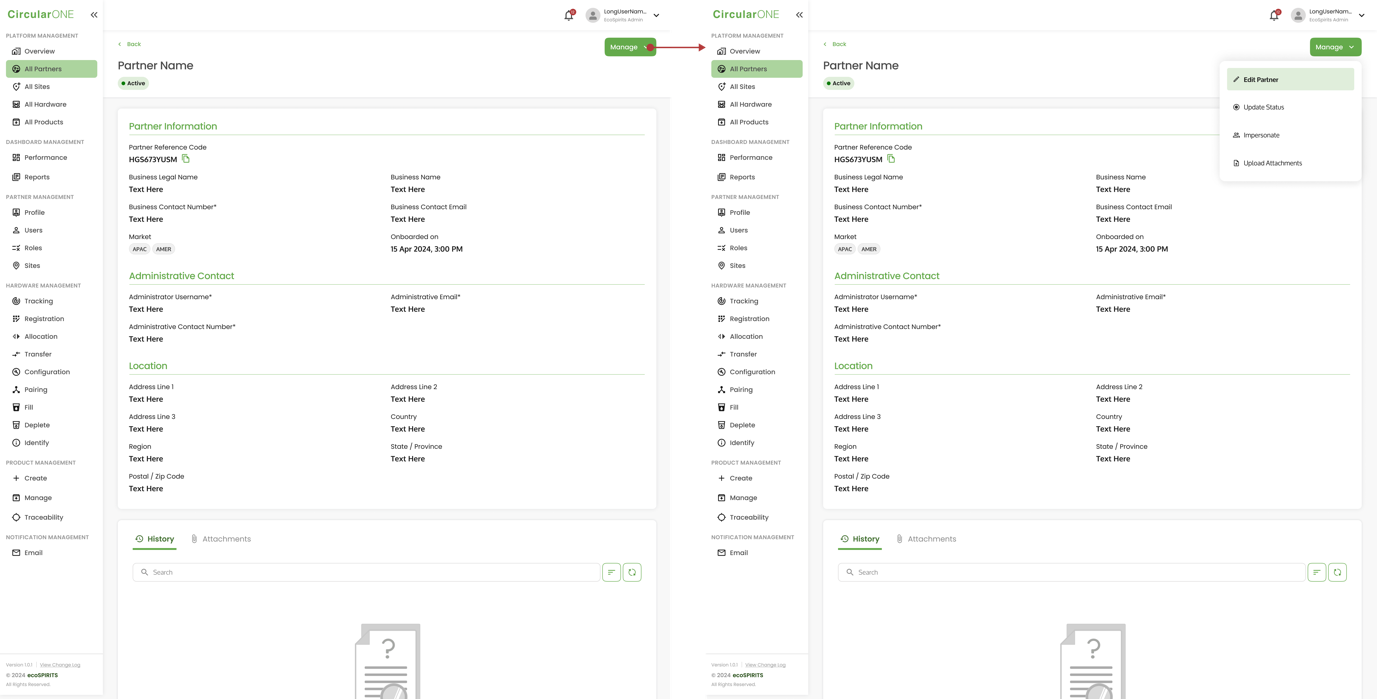
1 | Head to ‘Profile’ under Partner Management | |
2 | Select ‘Manage’ and click ‘Edit Partner | |
| ||
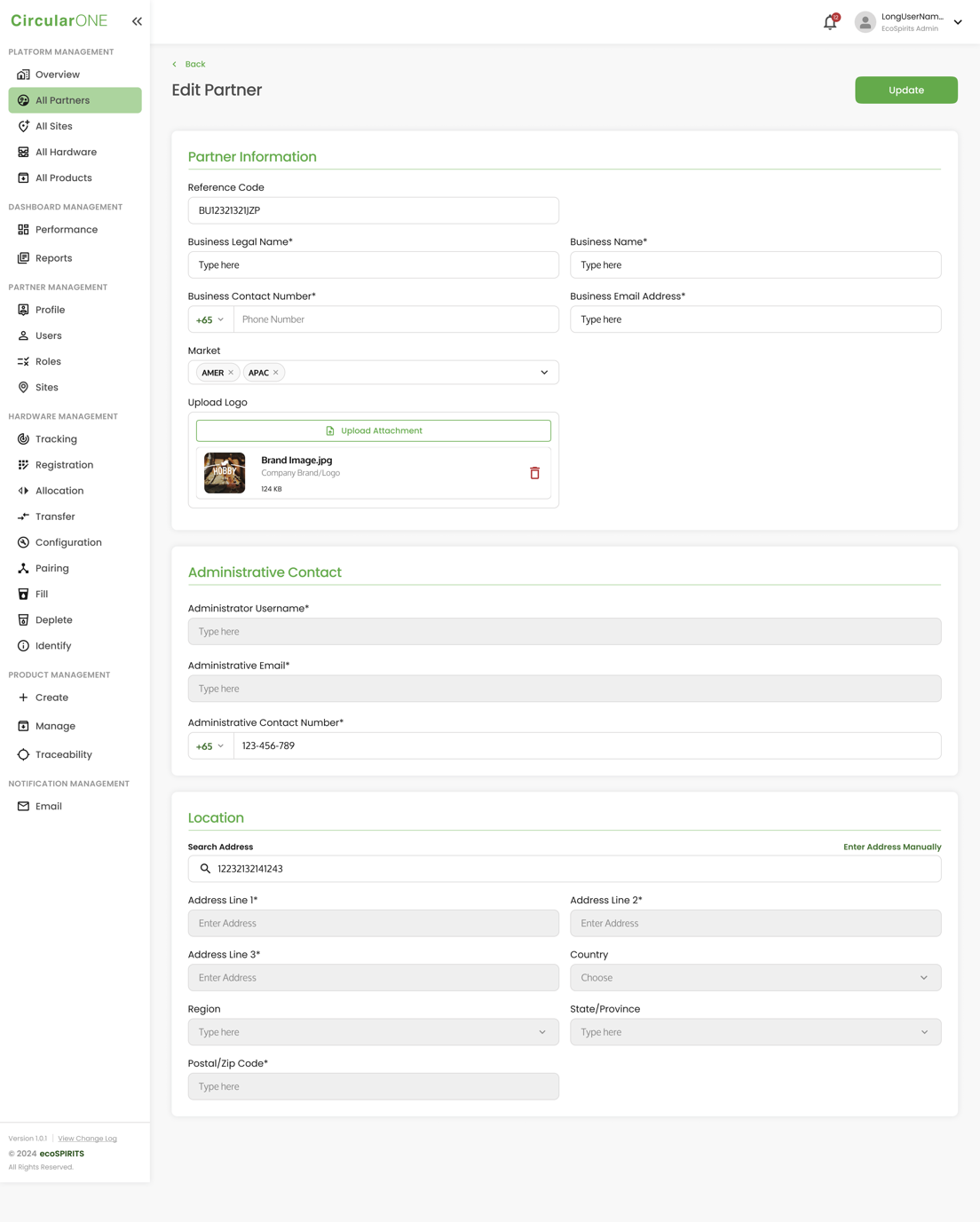
3 | Edit the relevant fields that need to be changed on the Partnership Profile | |
| ||
4 | If successful, you will be redirected back to Partnership Profile | |
Update Partnership Status
To update Partnership Status, you can:
Steps | ||
|---|---|---|
1 | Head to ‘Profile’ under Partner Management | |
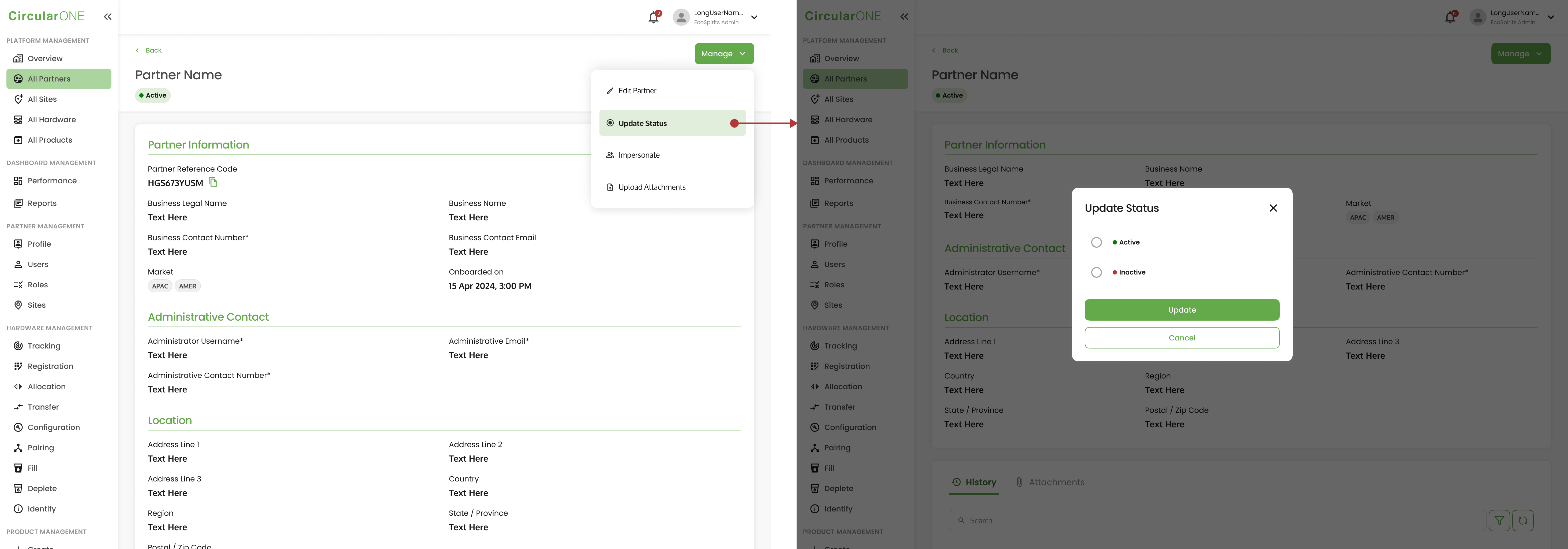
2 | Select ‘Manage’ and click ‘Update Status’ | |
| ||
3 | Change the status from ‘Active’ to ‘Inactive’ and select ‘Update’ | |
4 | Partner status will change from ‘Active’ to ‘Inactive’ | |
No comments to display
No comments to display