
Product Registration
Feature Availability
Available on Web/Mobile Browser only.
Introduction
Product will need to be registered to ensure that users are able to conduct filling as well as to track the product consumption across various sites.
Create A New Product
To create a new product, you can:
Steps | ||
|---|---|---|
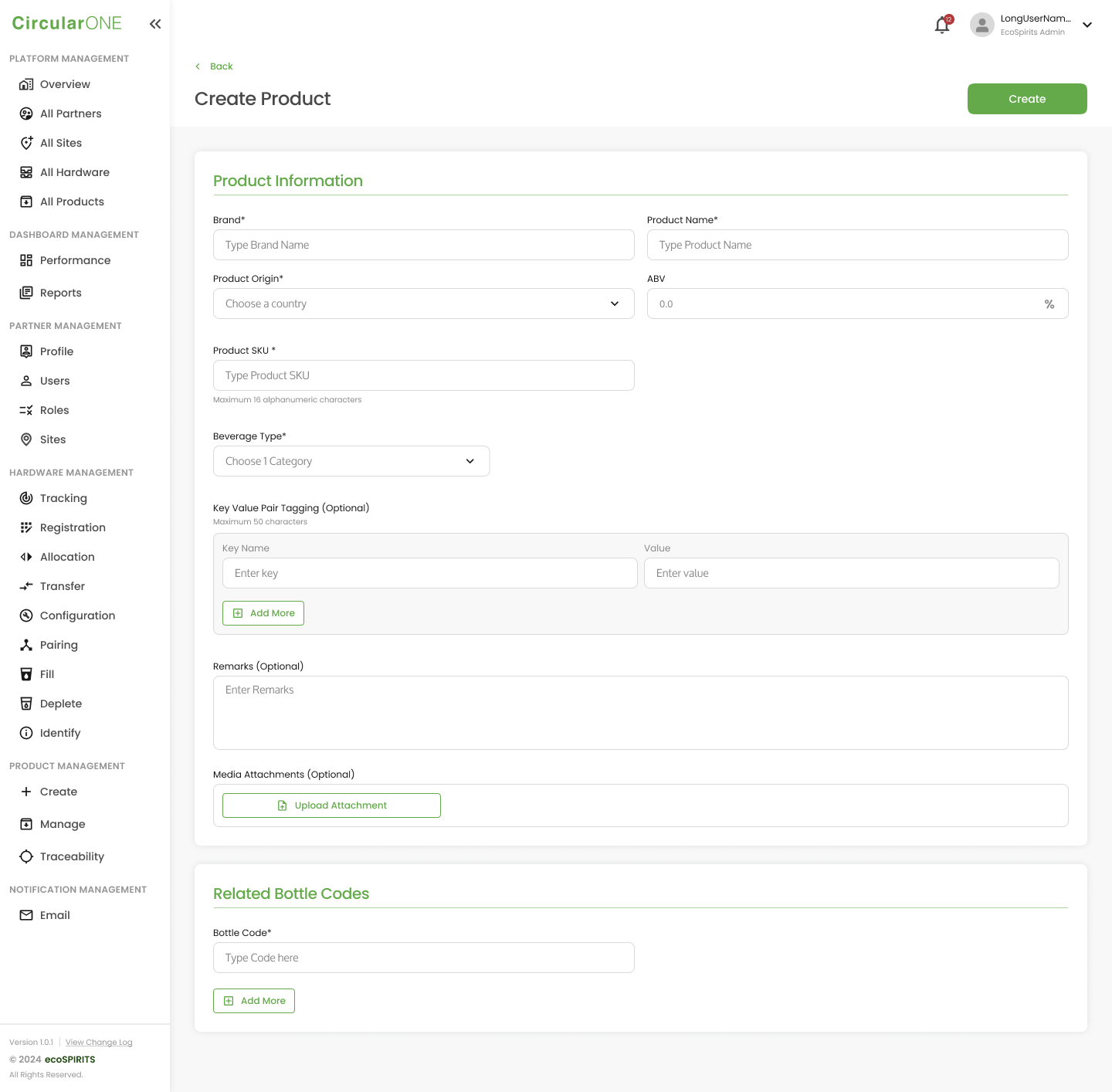
1 | Head to ‘Create’ under Product Management | |
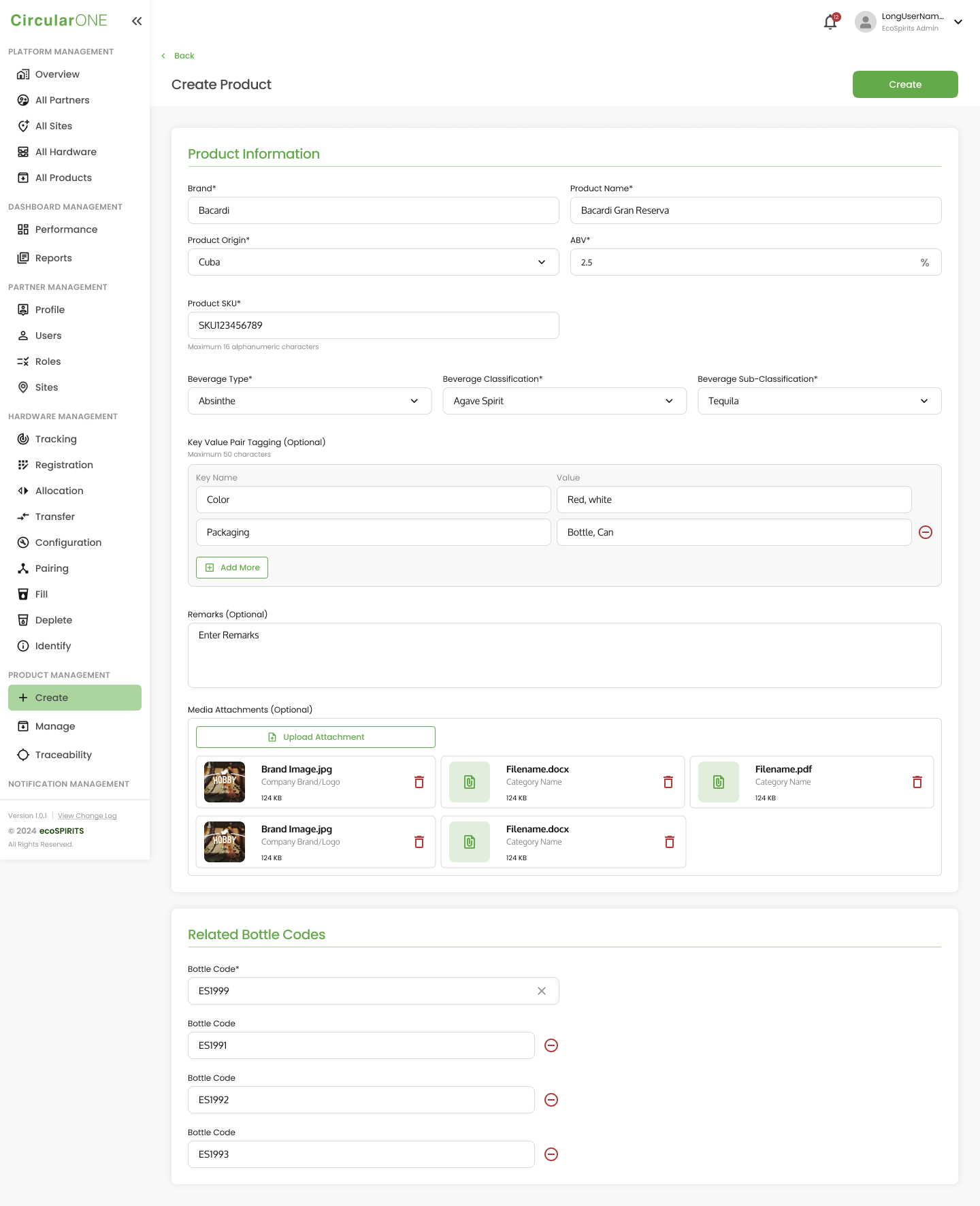
2 | Fill in the necessary details required for the new product Note:
| |
| ||
3 | After selecting a "Beverage Type," the relevant fields for Beverage Classification will appear. Then, once you choose a Beverage Classification, the corresponding fields for Beverage Sub Classification will be displayed. | |
| ||
4 | Once completed, select ‘Create’ to create the product. If successful, you will be redirected to the Product Management Listing Page | |
No comments to display
No comments to display