
Partnership Site Management
Feature Availability
Available on Web/Mobile Browser only.
Introduction
Sites are a crucial part of a partnership, where they can either be a Warehouse, Filling Site, or Consumption Site. Users can learn how to manage their sites within their partnership either through Site Creation or editing an existing site.
Create A New Site
To create a new site, you can:
Steps | ||
|---|---|---|
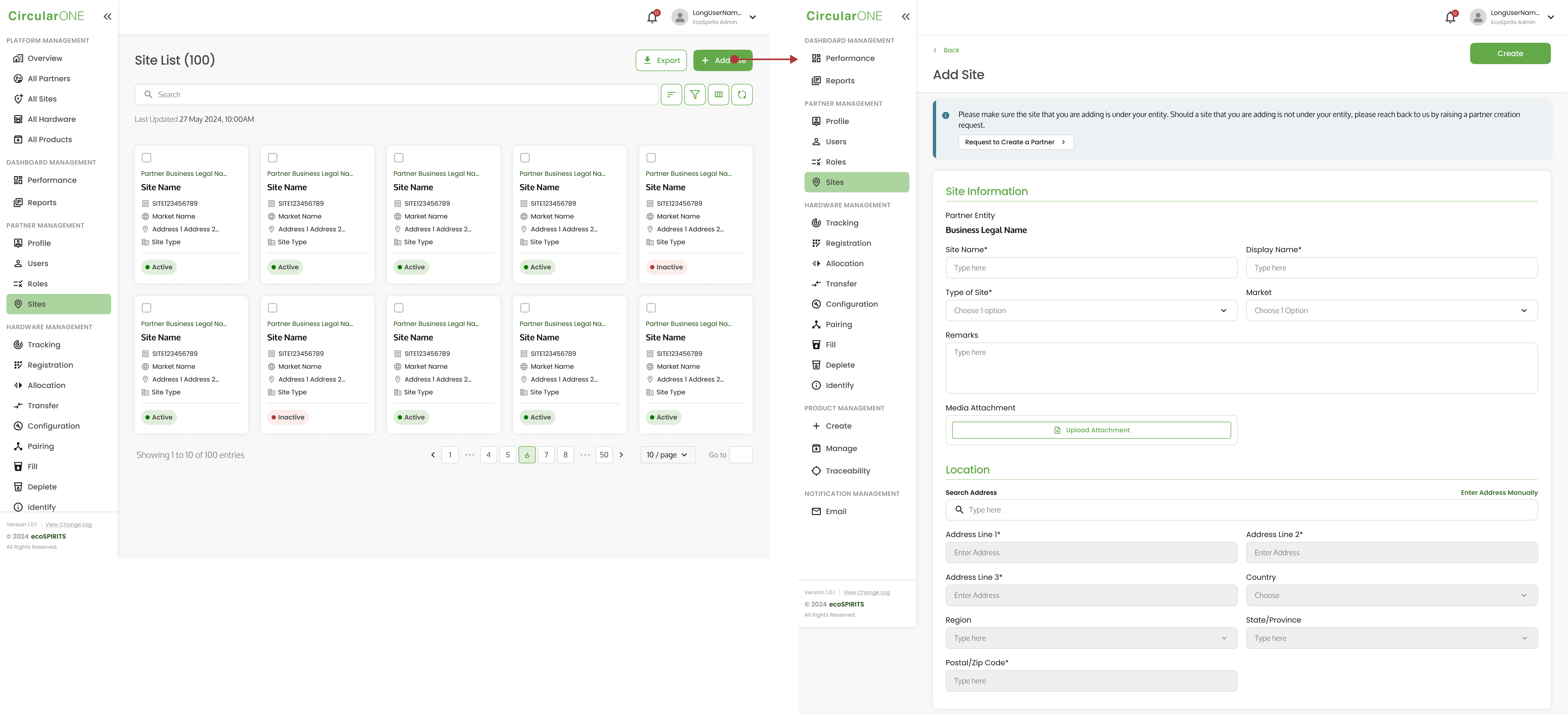
1 | Head to ‘Sites’ under Partner Management | |
2 | Select ‘Add Site’ | |
| ||
3 | Fill in the necessary information required for the new site | |
4 | Select ‘Create’ once all the necessary details have been filled | |
5 | If successful, you will be redirected back to Site List | |
Edit Site
To edit an existing site, you can:
Steps | ||
|---|---|---|
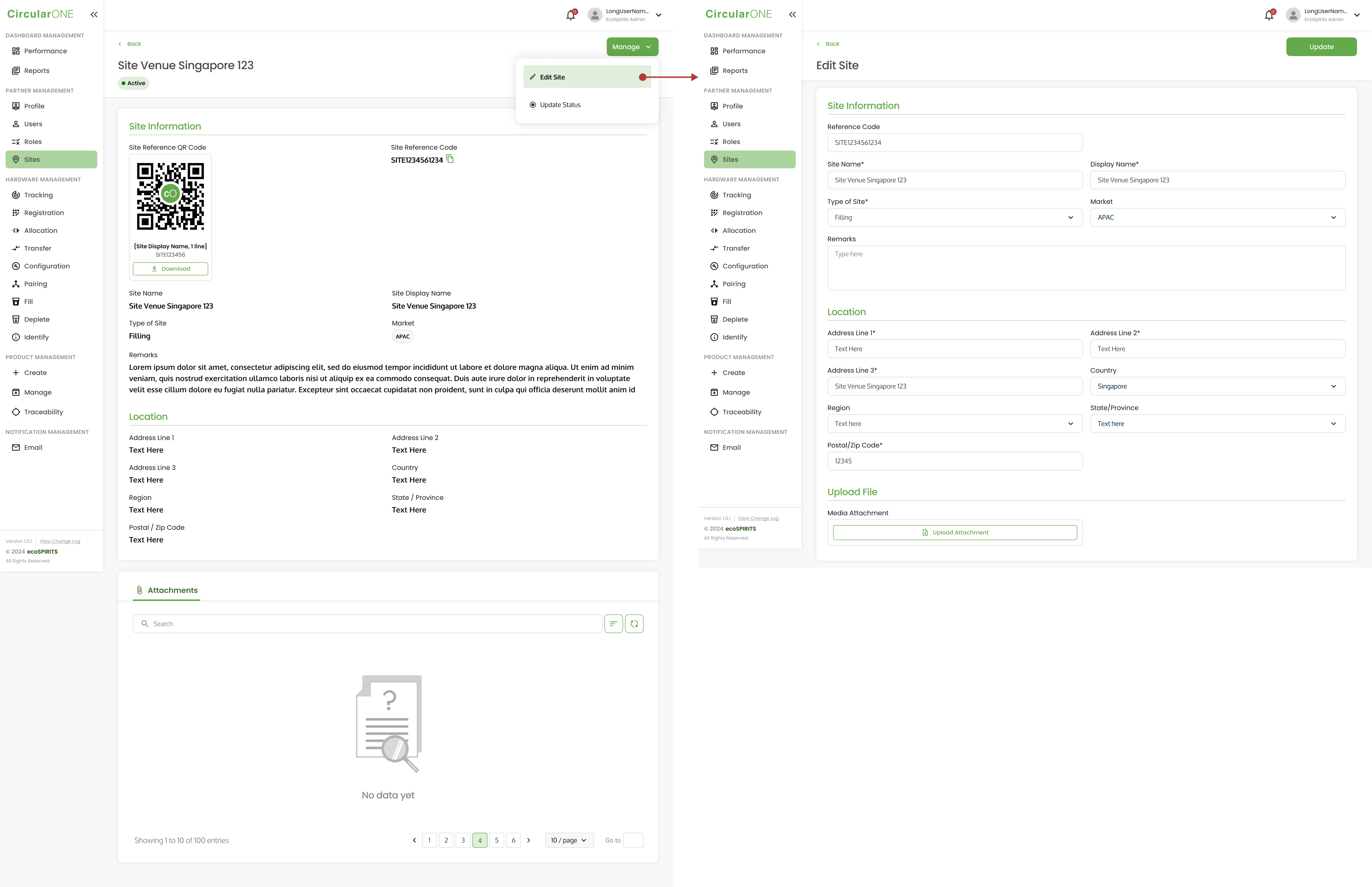
1 | Head to ‘Sites’ under Partner Management | |
2 | Select a Site Profile | |
3 | Select ‘Manage’ and click ‘Edit Site’ | |
| ||
4 | Edit the relevant fields that need to be changed for the selected Site | |
5 | If successful, you will be redirected back to Site Profile | |
Update Site Status
To update site status, you can:
Steps | ||
|---|---|---|
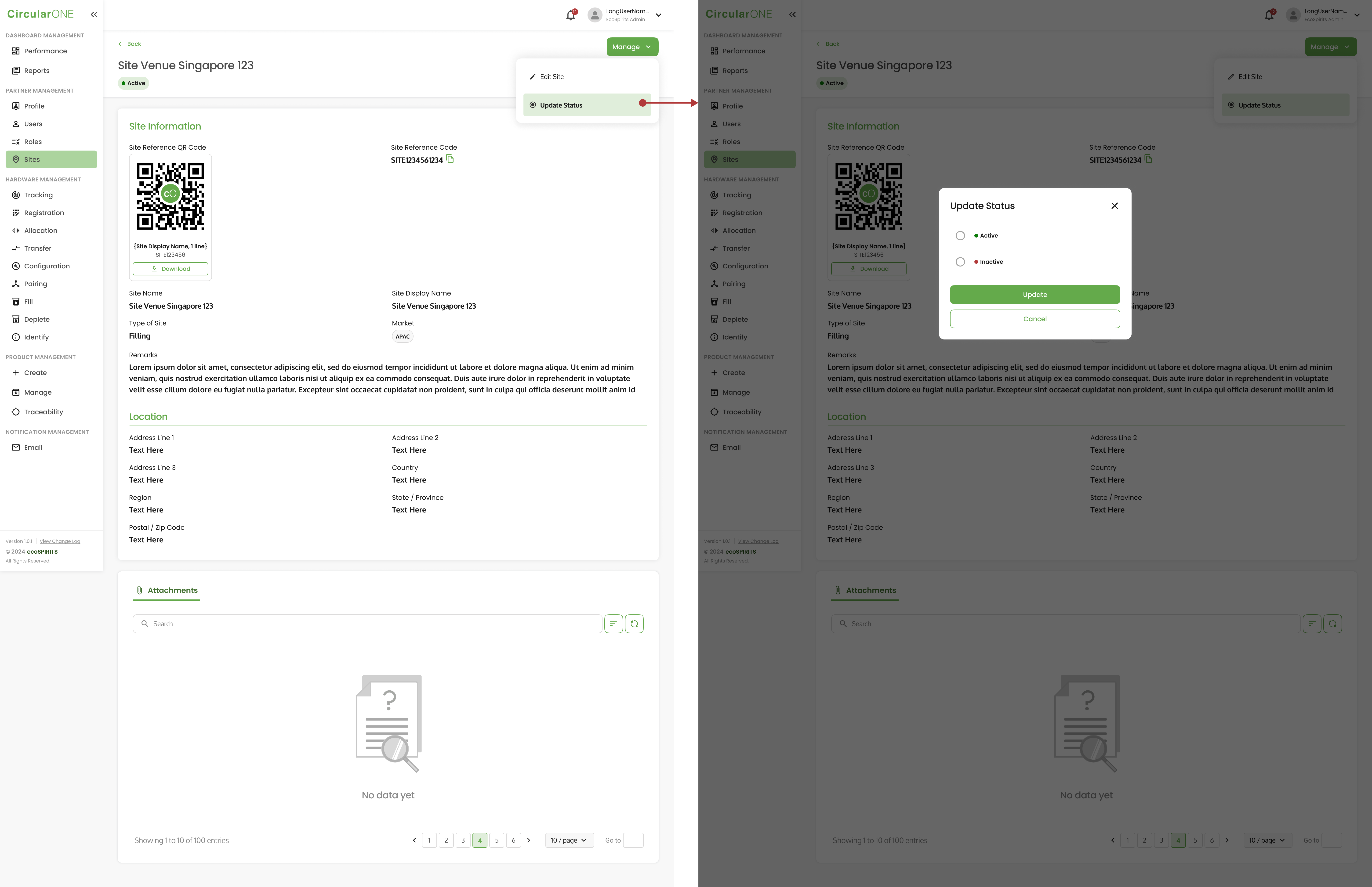
1 | Head to ‘Site’ under Partner Management | |
2 | Select ‘Manage’ and click ‘Update Status’ | |
| ||
3 | Change the status from ‘Active’ to ‘Inactive’ and select ‘Update’ | |
4 | Site status will change from ‘Active’ to ‘Inactive’ | |
No comments to display
No comments to display