
Partnership Role Management
Feature Availability
Available on Web/Mobile Browser only.
Introduction
Roles can be created to ensure that access rights to various information on CircularONE are properly assigned and restricted based on user responsibilities. Users will learn how to manage their roles and permissions within their partnership.
Create A New Role
To create a new role, you can:
Steps | ||
|---|---|---|
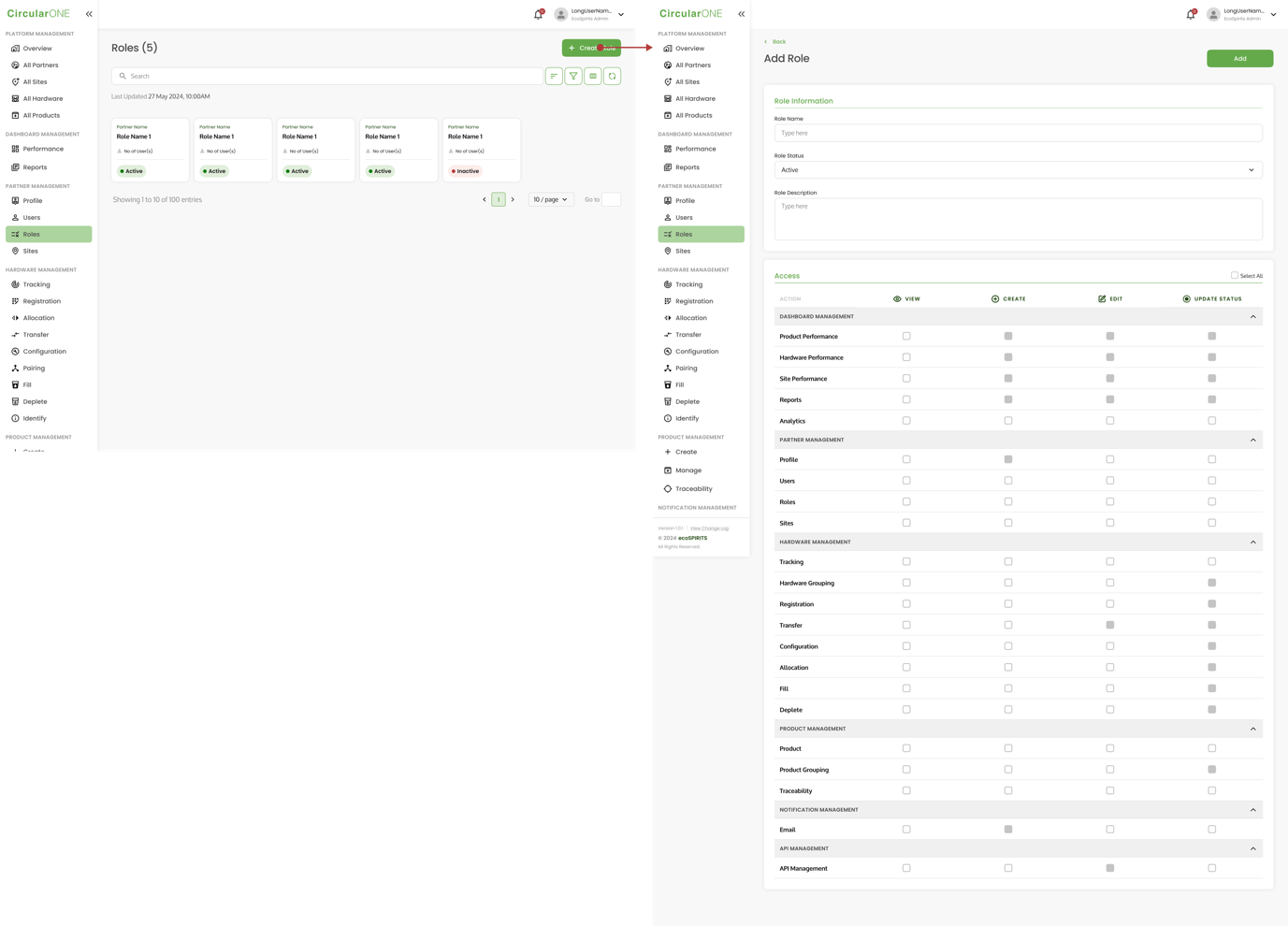
1 | Head to ‘Roles’ under Partner Management | |
2 | Select Create Role | |
| ||
3 | Fill in the necessary information required for the new role | |
4 | Select ‘Create’ once all the details have been filled | |
5 | If successful, you will be redirected back to Role List | |
Edit Role
To edit a role, you can:
Steps | ||
|---|---|---|
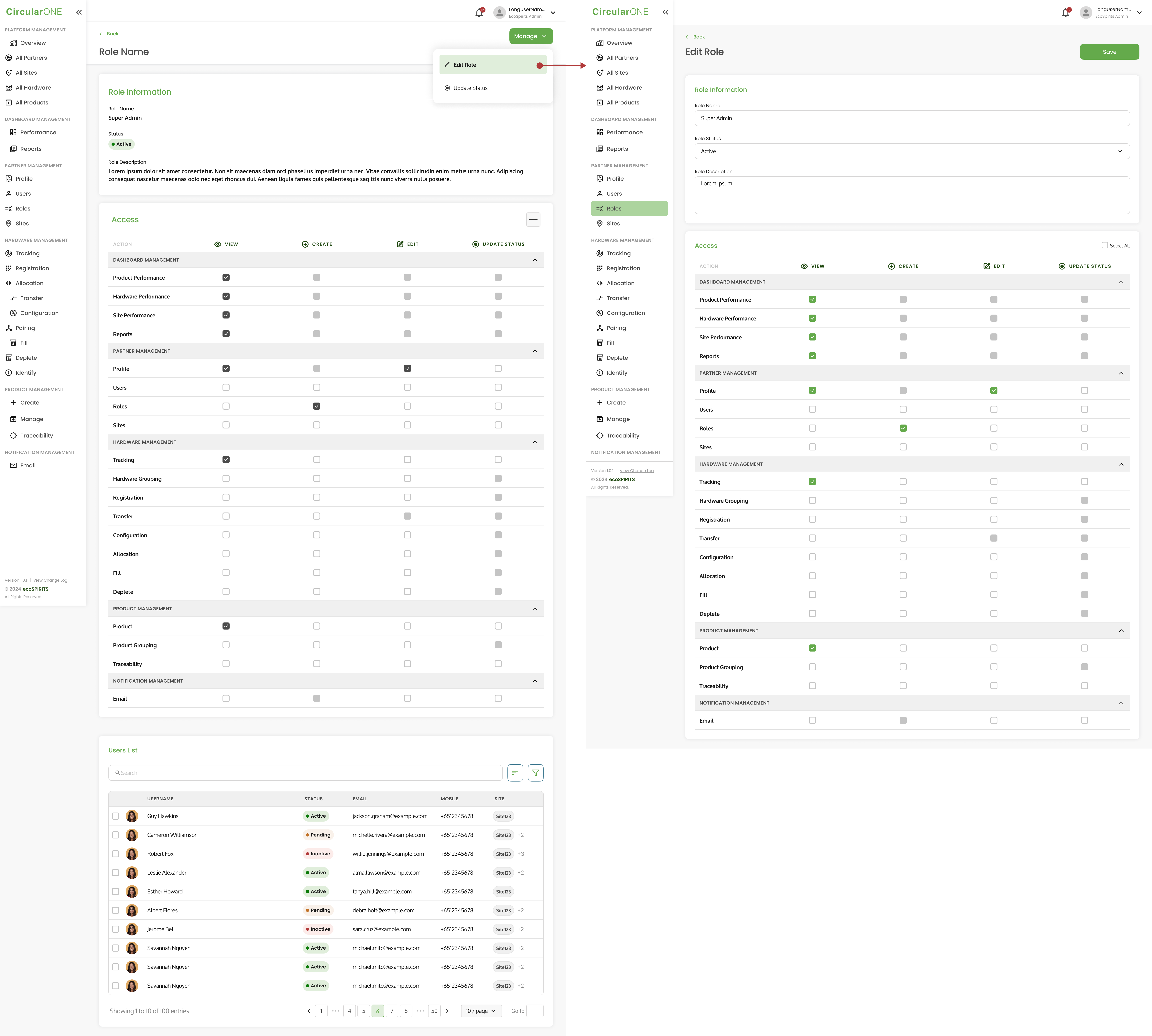
1 | Head to ‘Roles’ under Partner Management | |
2 | Select a Role Profile | |
3 | Select ‘Manage’ and click ‘Edit Role’ | |
| ||
4 | Edit the relevant fields that need to be changed for the role | |
5 | If successful, you will be redirected back to Role Profile | |
Update Role Status
To update role status, you can:
Steps | ||
|---|---|---|
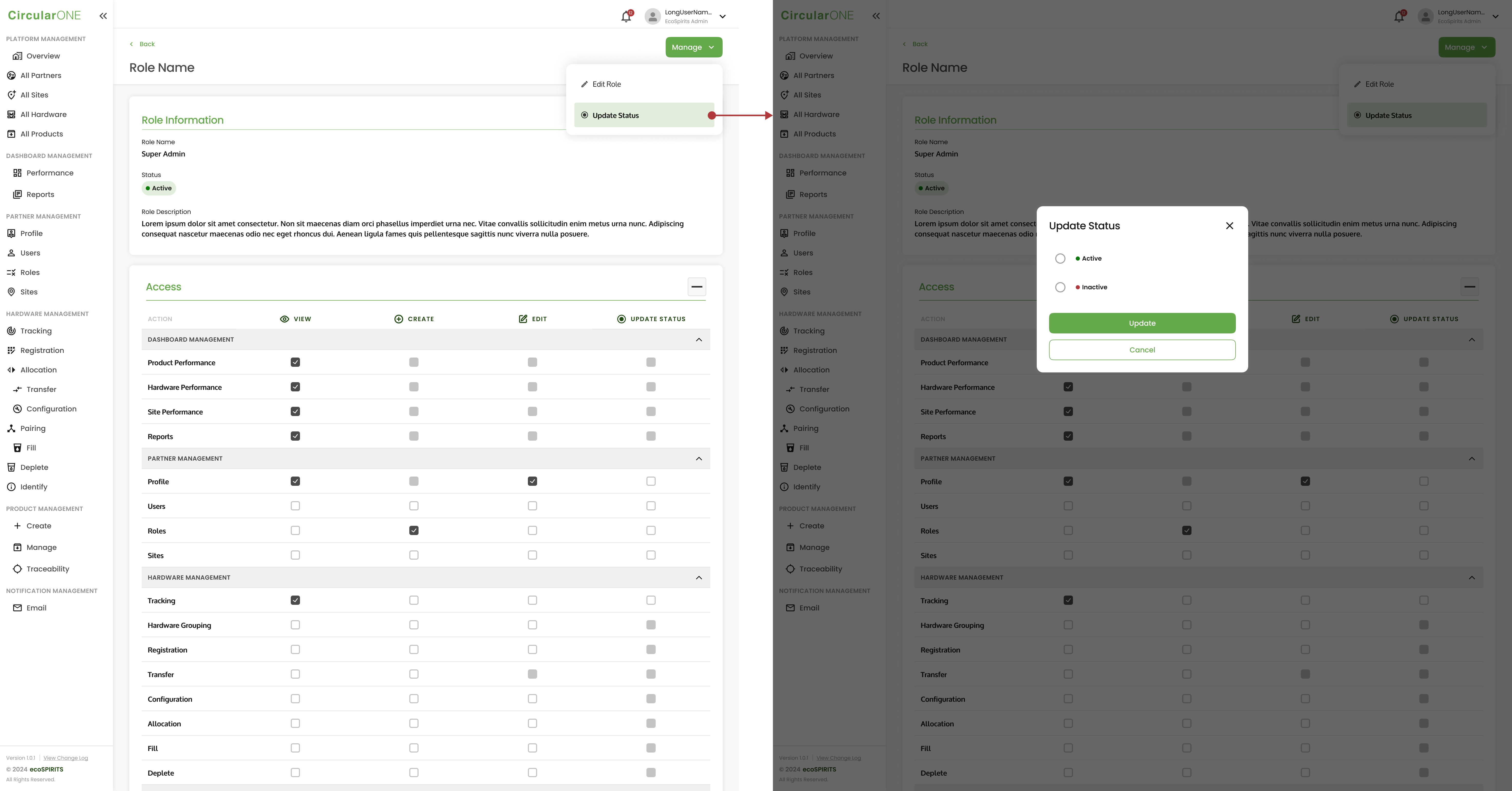
1 | Head to ‘Role’ under Partner Management | |
2 | Select ‘Manage’ and click ‘Update Status’ | |
| ||
3 | Change the status from ‘Active’ to ‘Inactive’ and select ‘Update’ | |
4 | Role status will change from ‘Active’ to ‘Inactive’ | |
No comments to display
No comments to display