
User Account Recovery
Feature Availability
Available on Web/Mobile Browser only.
Introduction
In the event that you are unable to gain access to your account or have misplaced your password, you can recover your account by resetting your password.
Reset Your Password
To reset your password, you can:
Steps | ||
|---|---|---|
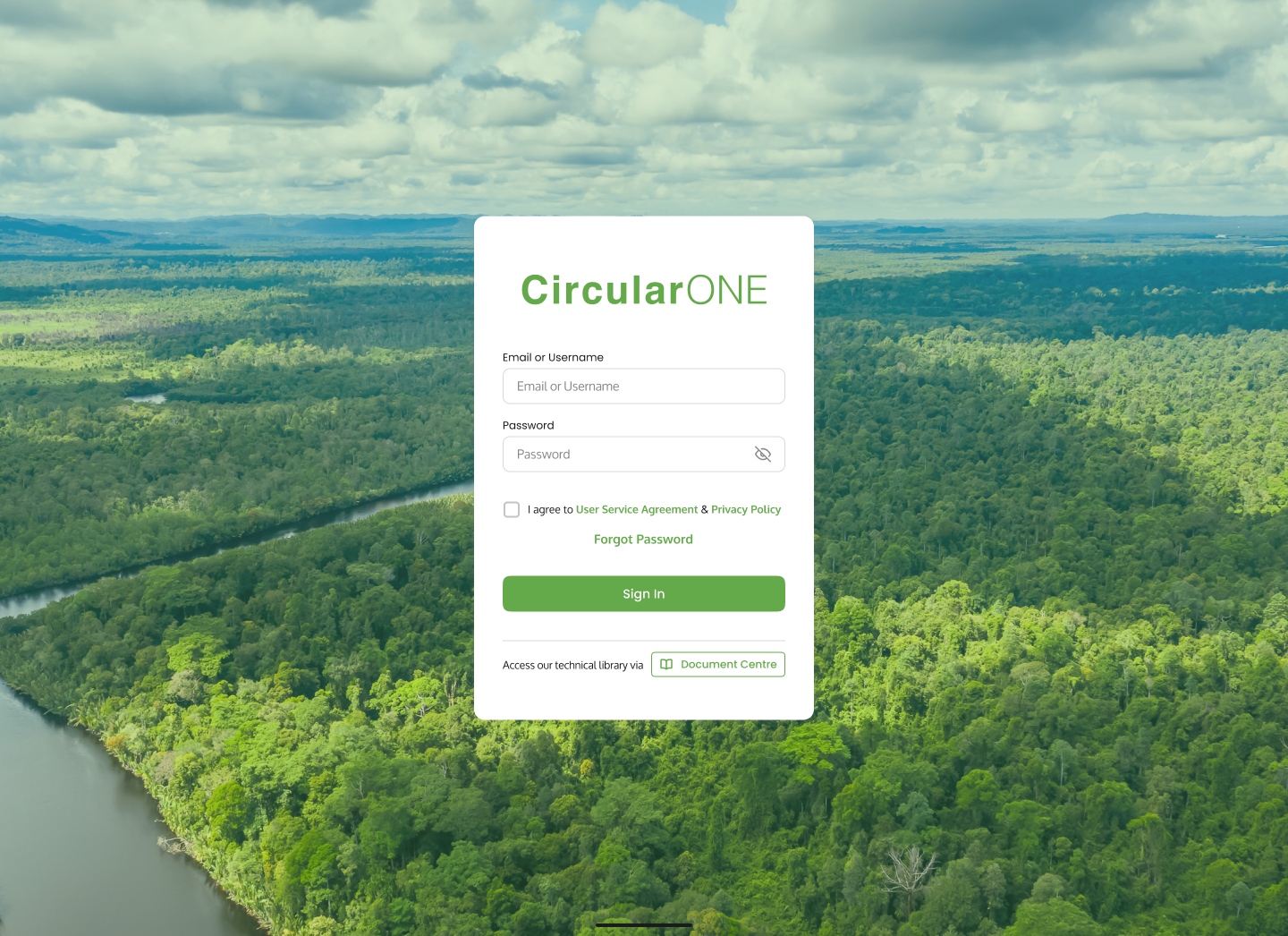
1 | Click on ‘Forgot Password’ at the Log In Page | |
| ||
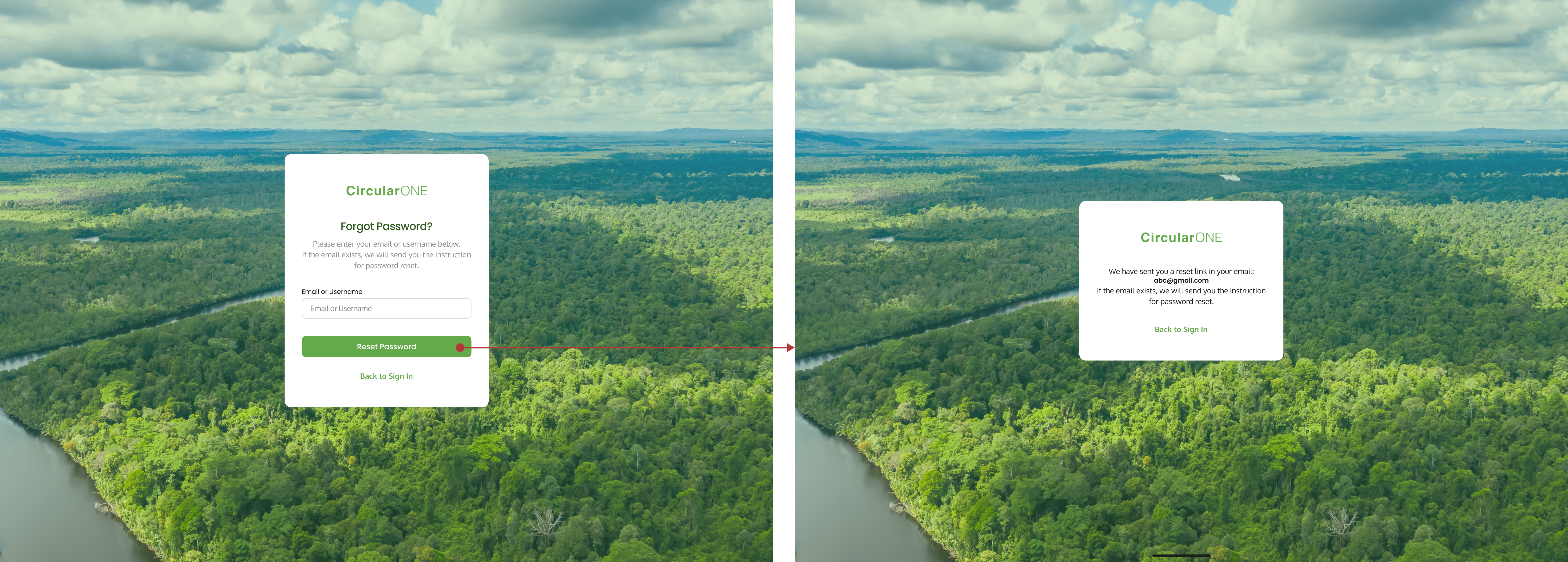
2 | Type in your username or email and select ‘Reset Password’ | |
| ||
3 | If the email or username exists within the system, you will receive an email with instructions to reset your password | |
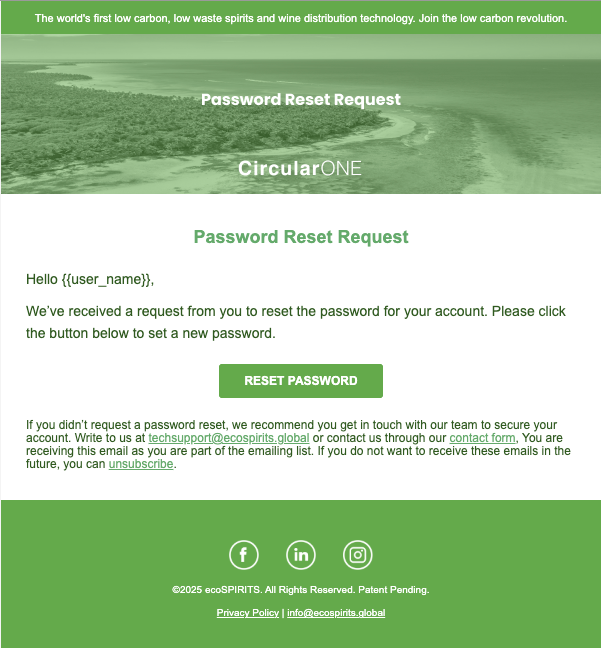
4 | Open the email and click on ‘Reset Password’ | |
| ||
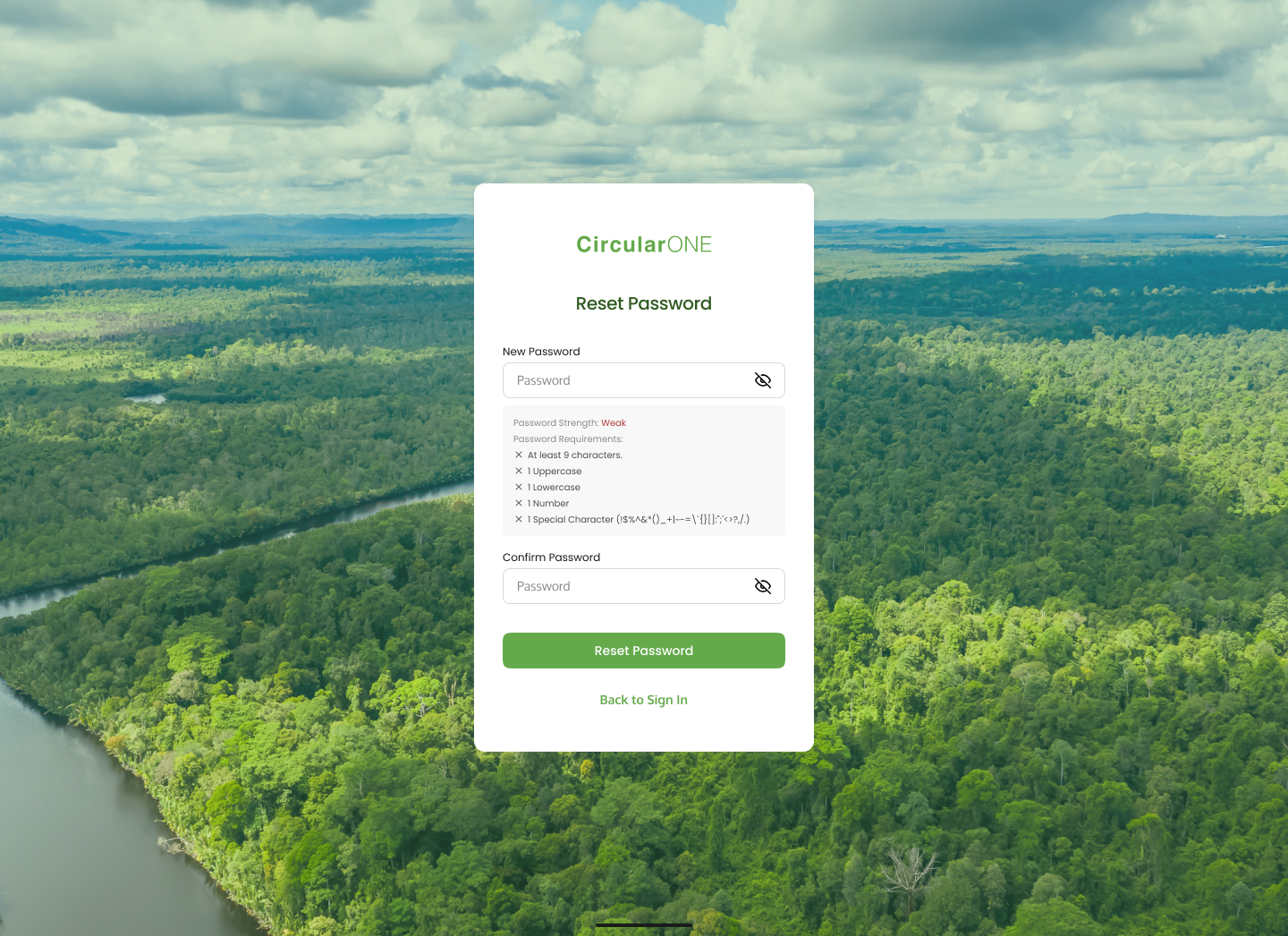
5 | Type your new password while considering the guidelines | |
6 | Type your confirmed password | |
7 | Click ‘Reset Password’ | |
| ||
8 | If successful, you will be redirected back to the Log In page | |
No comments to display
No comments to display