
User Account Activation
Feature Availability
Available on Web/Mobile Browser only.
Introduction
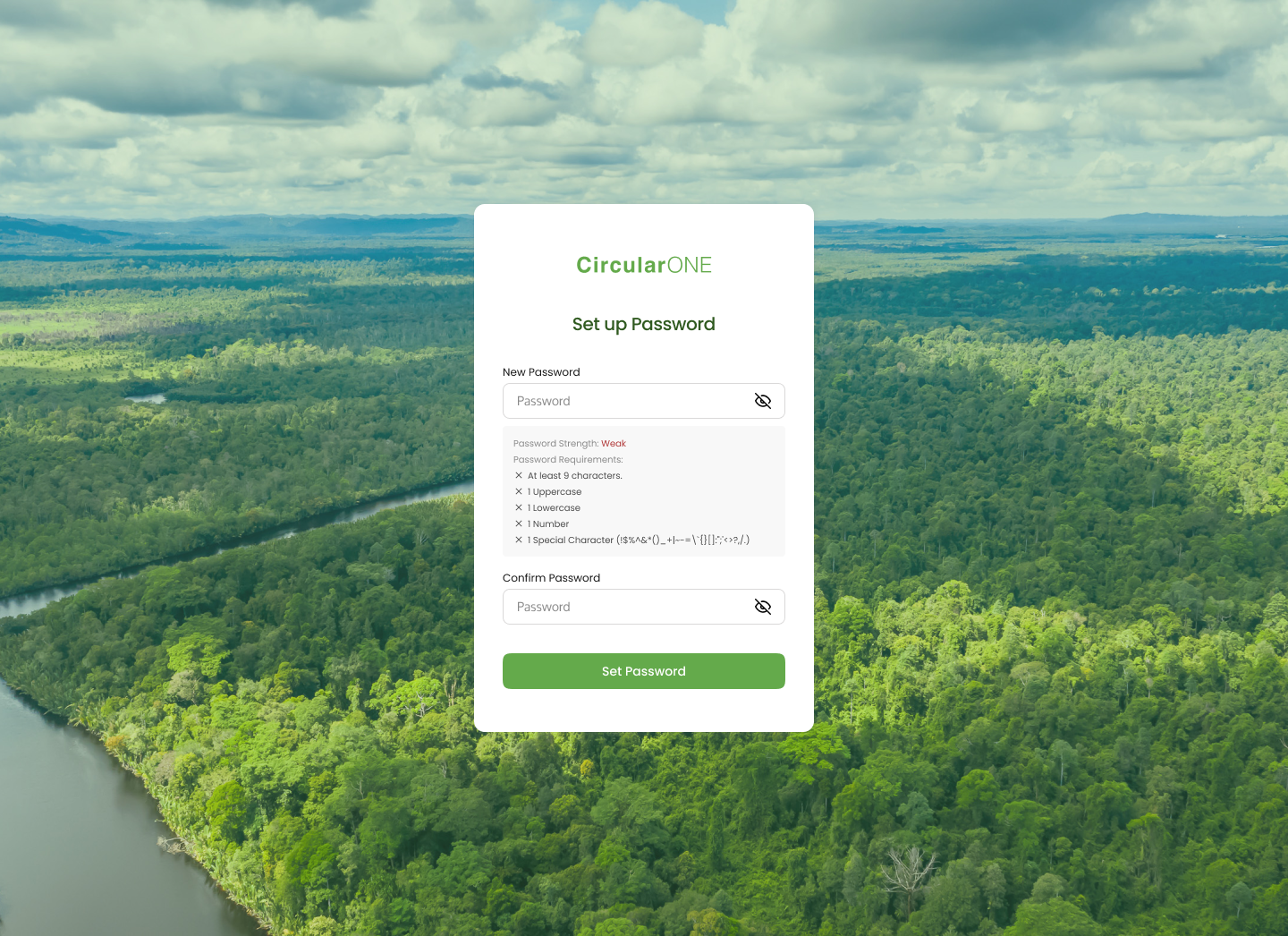
To begin your journey with CircularONE, users will need to first activate their account by setting up a password prior to logging in.
User Account Activation
Caution!
Should you encounter any issues with verifying your account, please contact ecoSPIRITS by submitting a ticket to techsupport@ecospirits.global for further assistance.
To activate your user account, you can:
Steps | ||
|---|---|---|
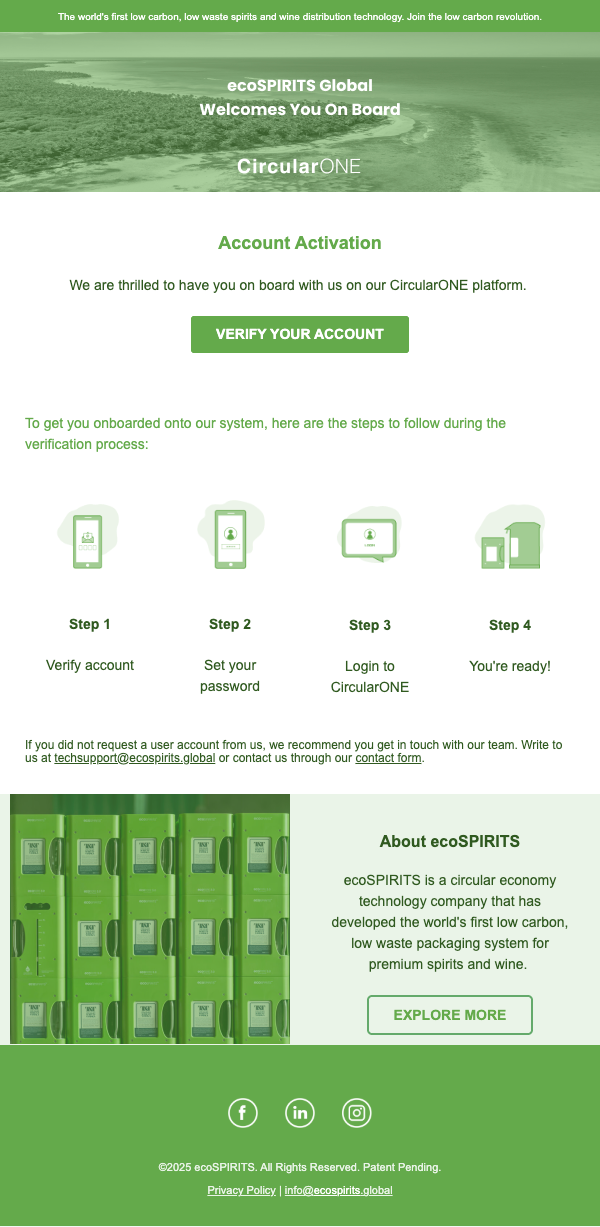
1 | Open the account validation email within the email that you have provided | |
2 | View the email contents and review the presented information | |
| ||
3 | Proceed to ‘Verify Your Account’. | |
4 | You will be directed to Set Up Your Password for your account | |
| ||
No comments to display
No comments to display