
Product Tracking
Feature Availability
Available on Web/Mobile Browser only.
Introduction
Product owners are able to manage the products that they own.
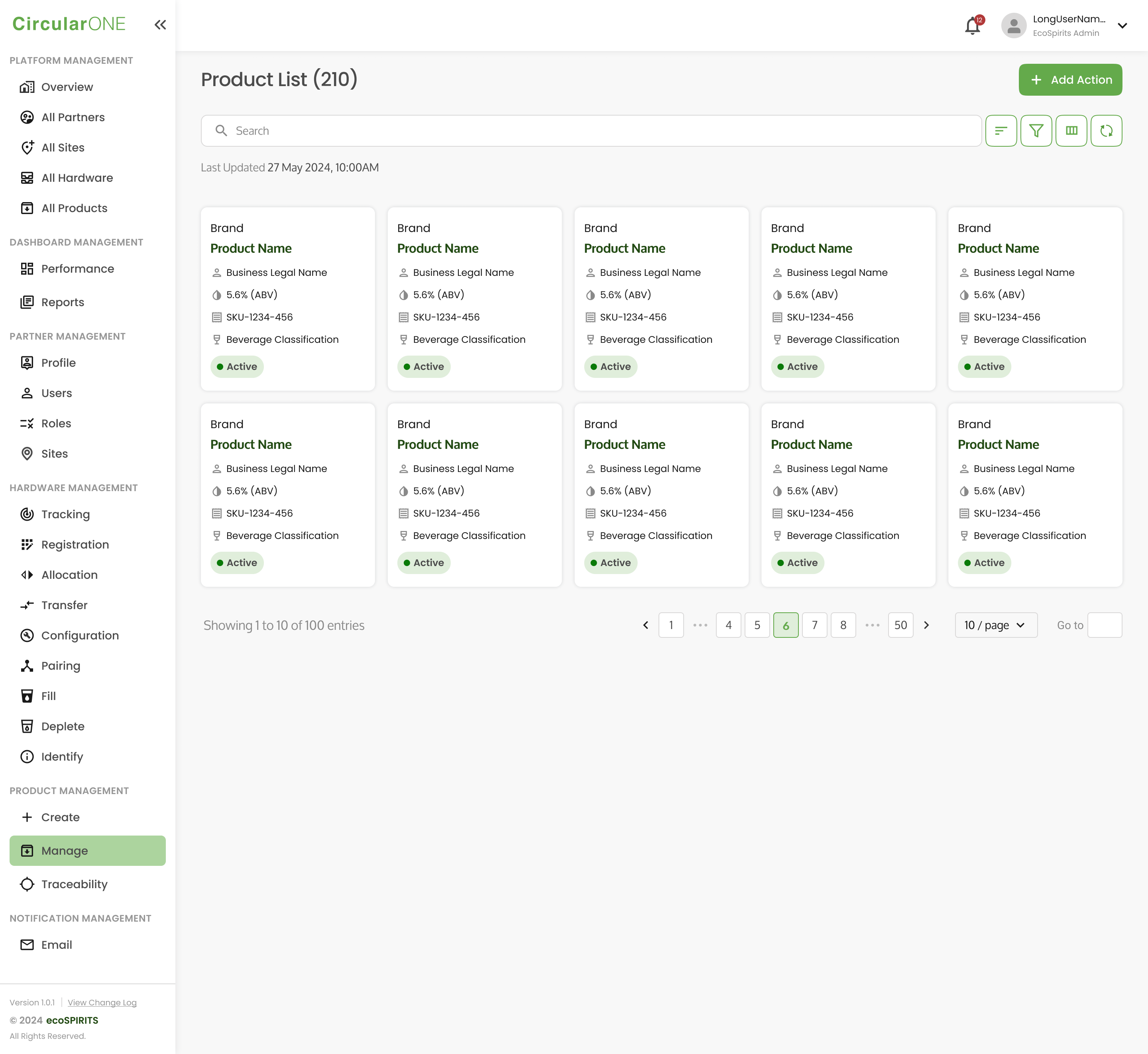
View Product List
To view a Product List, you can:
Steps | ||
|---|---|---|
1 | Head to ‘Manage’ under Product Management | |
| ||
View Product Profile
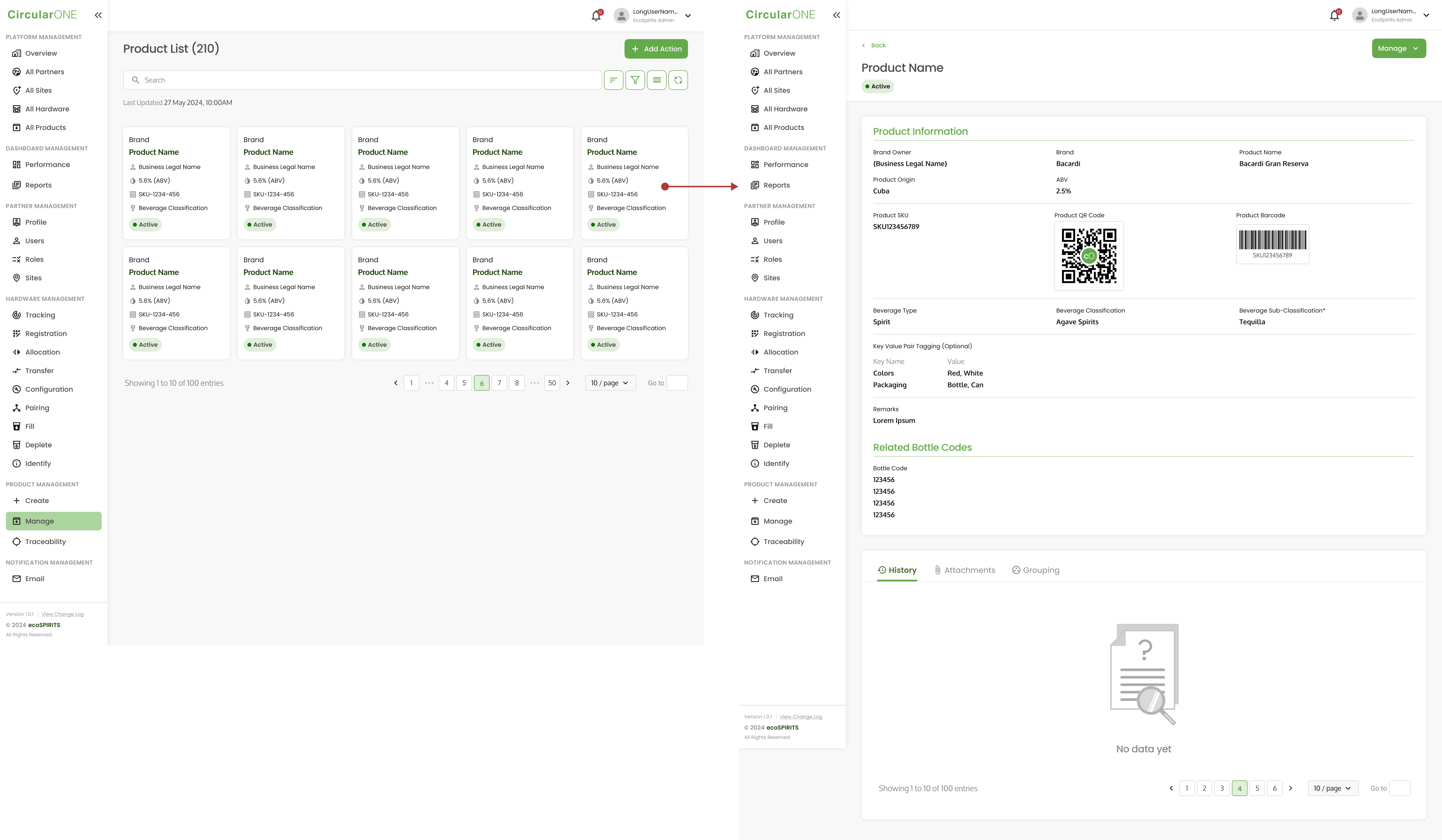
To view a Product Profile, you can:
Steps | ||
|---|---|---|
1 | Head to ‘Manage’ under Product Management | |
2 | View the product profile of any existing product under your partnership | |
| ||
Edit Product Profile
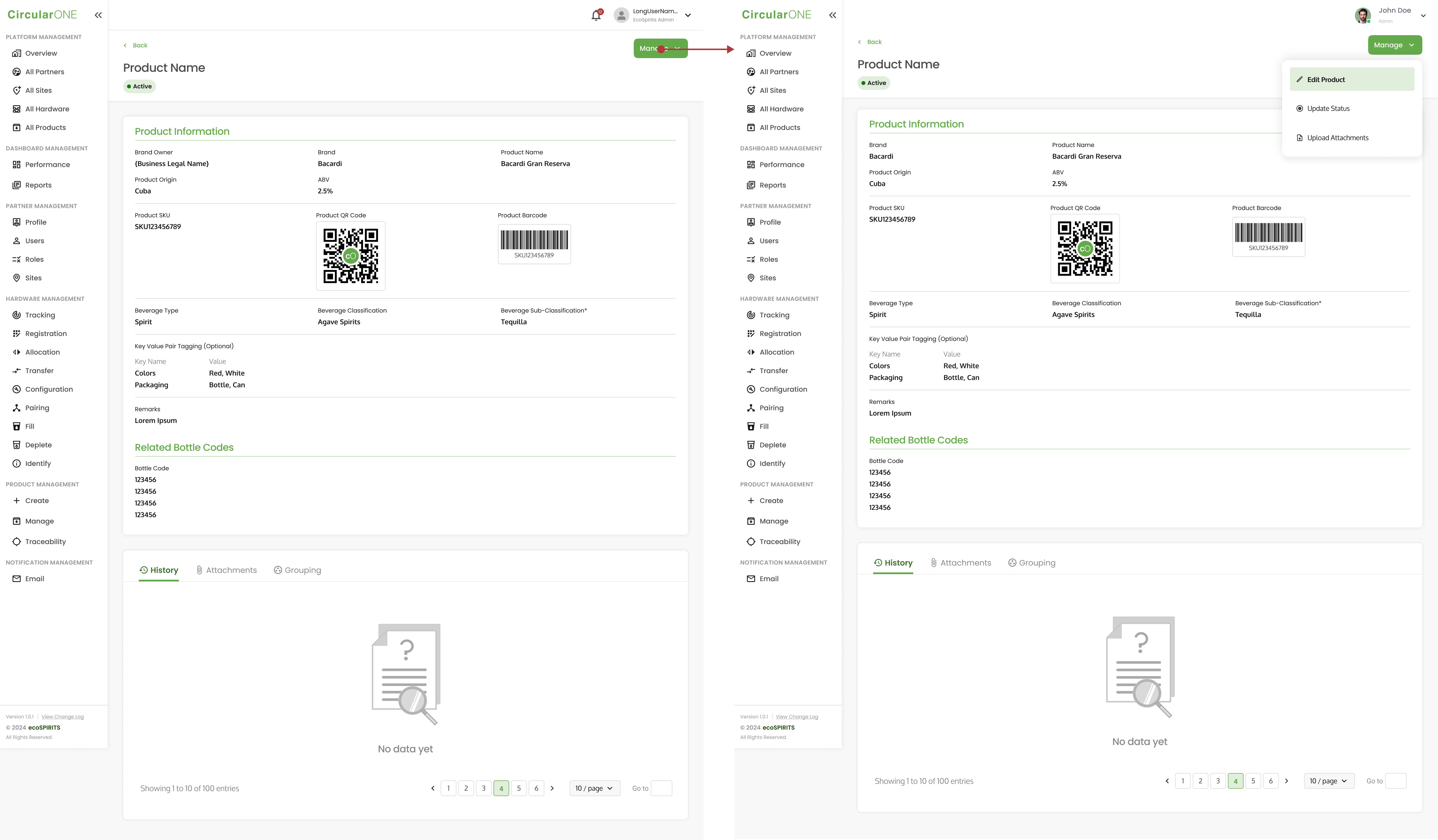
To edit product profile, you can:
Steps | ||
|---|---|---|
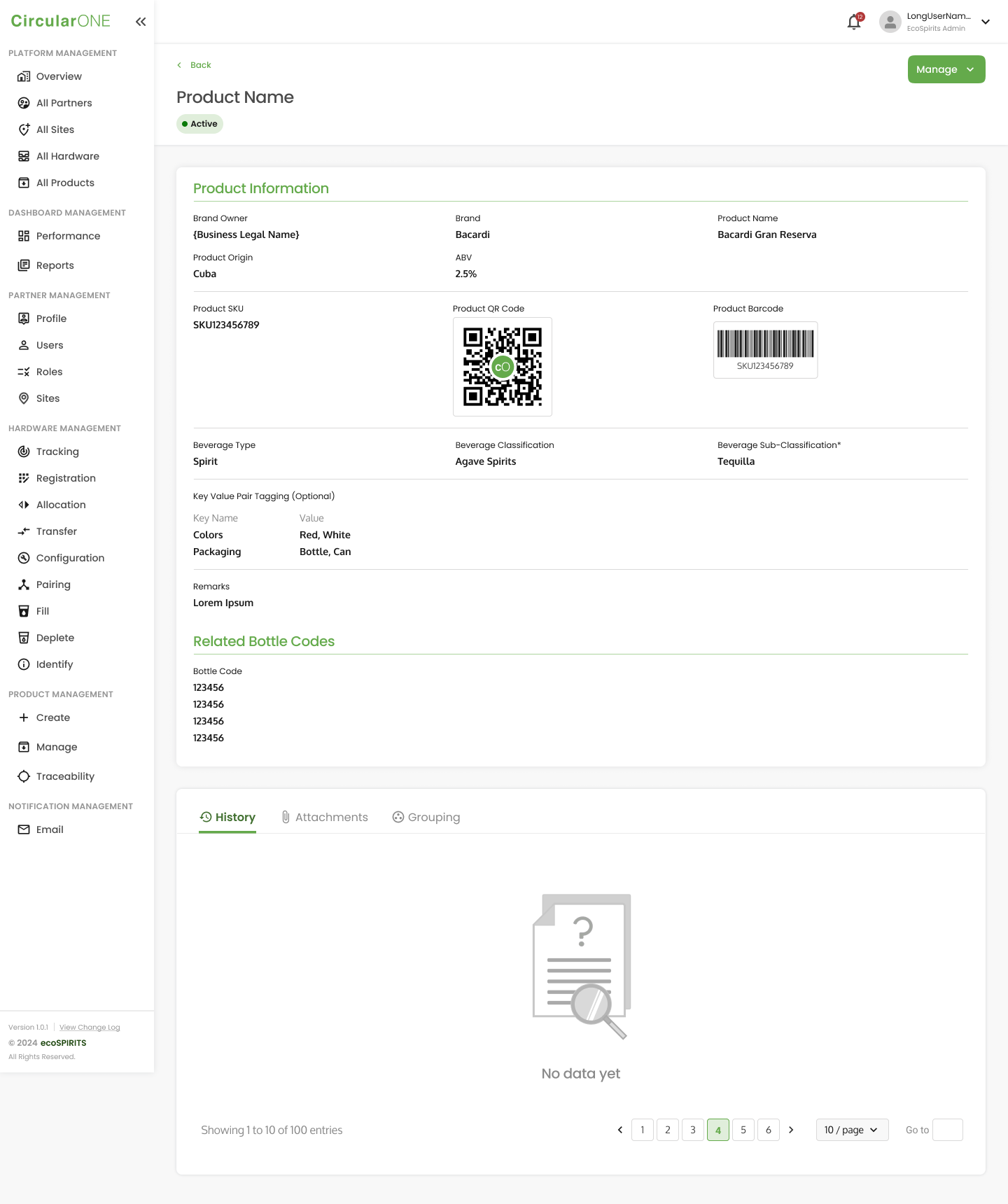
1 | View an existing Product Profile | |
| ||
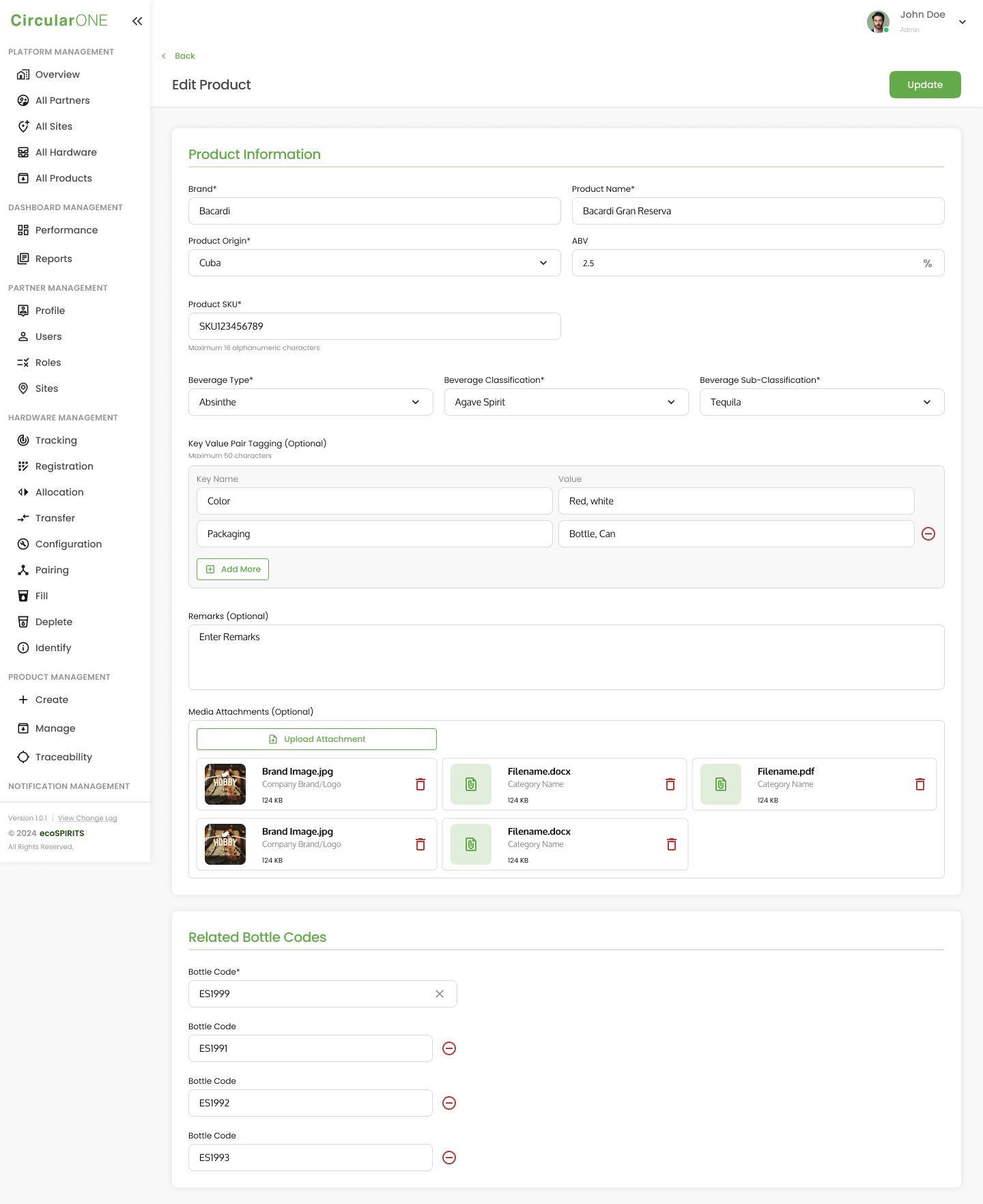
2 | Select ‘Manage’ and click on ‘Edit Product’ | |
| ||
3 | Edit the necessary fields and select ‘Update’ once you have completed | |
| ||
4 | If successful, you will be redirected back to the Product Profile | |
Manage Product Status
To manage the status of a product, you can:
Steps | ||
|---|---|---|
1 | View an existing Product Profile | |
| ||
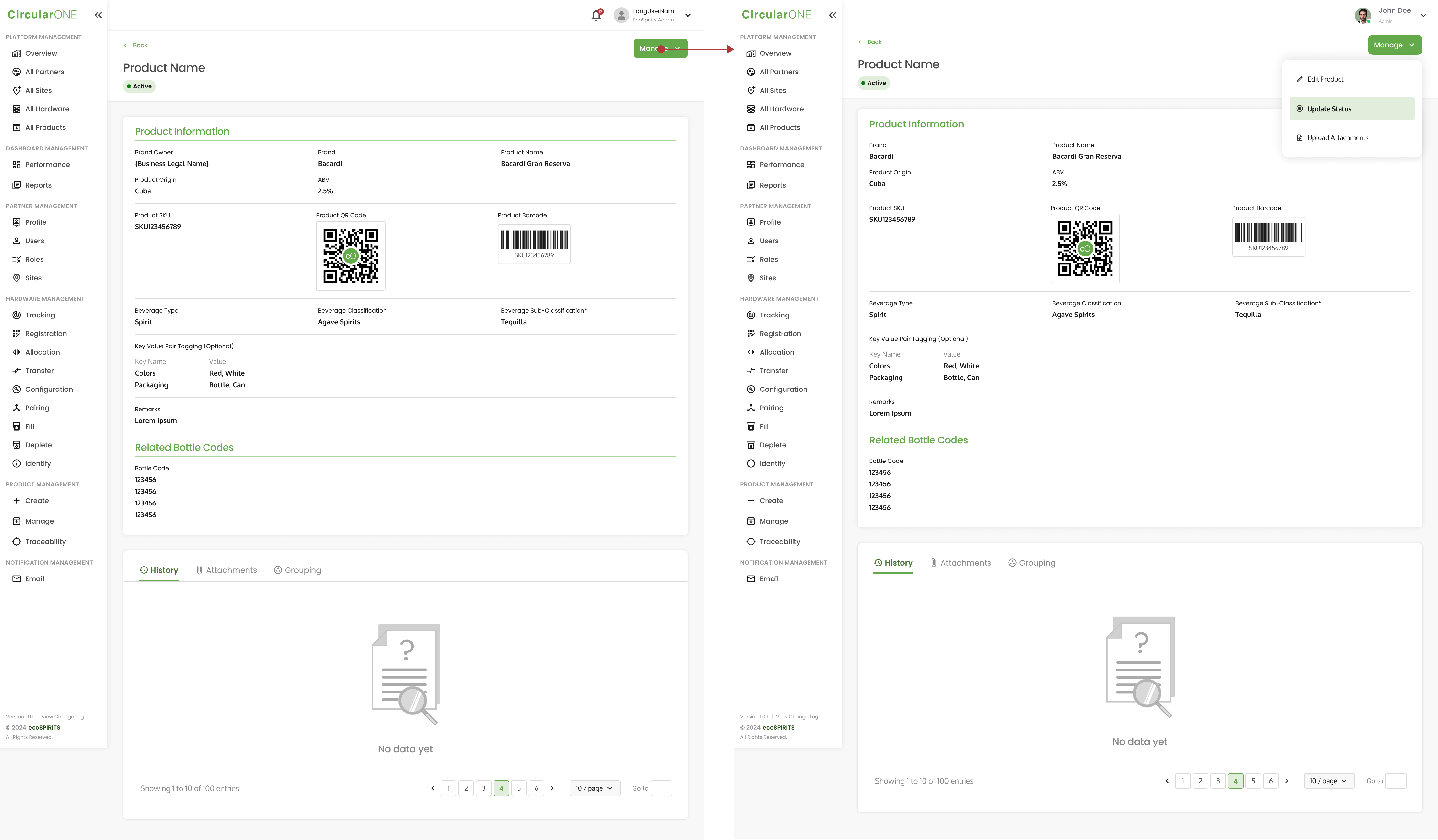
2 | Select ‘Manage’ and click ‘Update Status’ | |
| ||
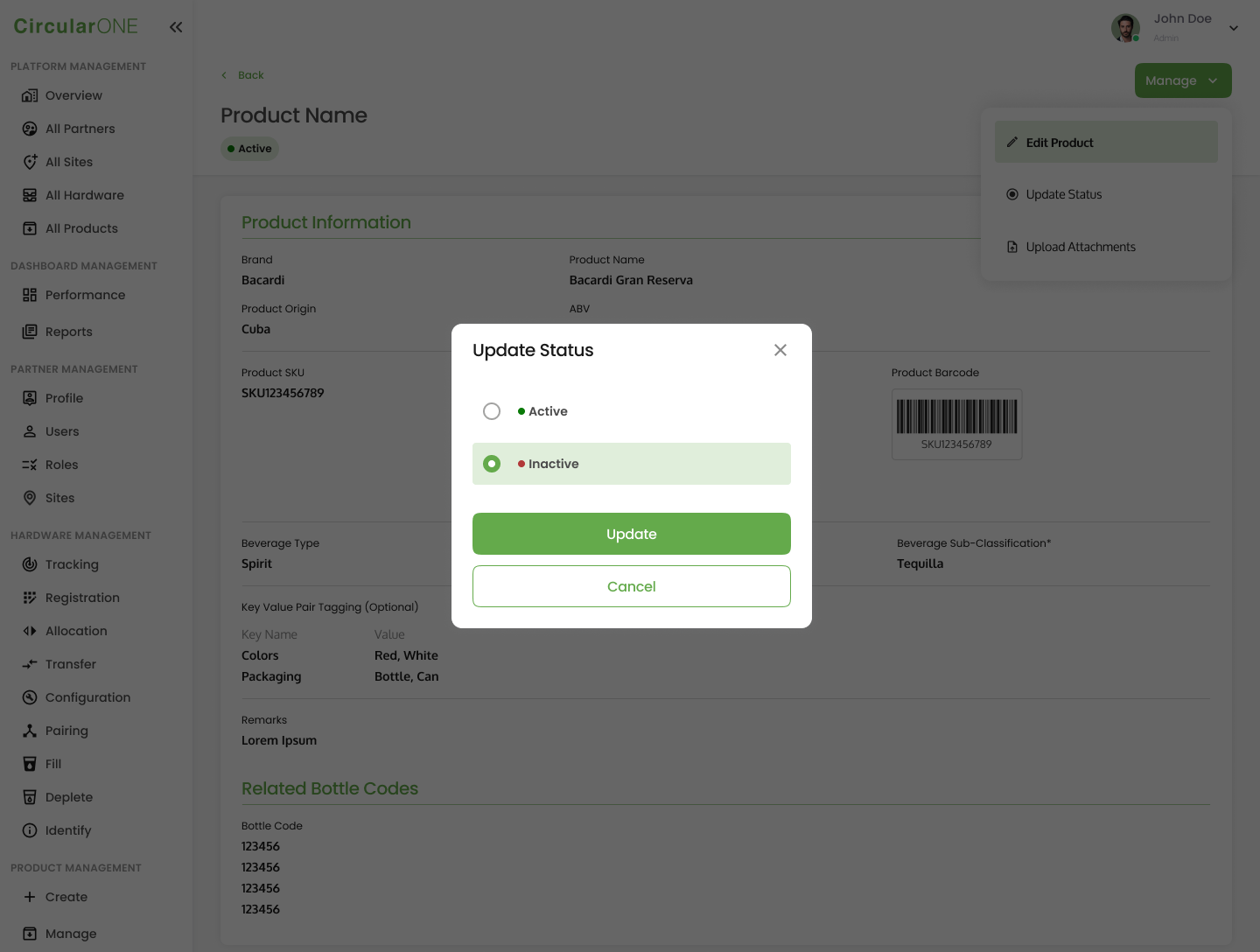
3 | Select the new status of the product and click ‘Update’ | |
| ||
4 | If successful, you will be redirected back to the Product Profile and the new status of the Product will be reflected accordingly | |
Manage Product Attachments
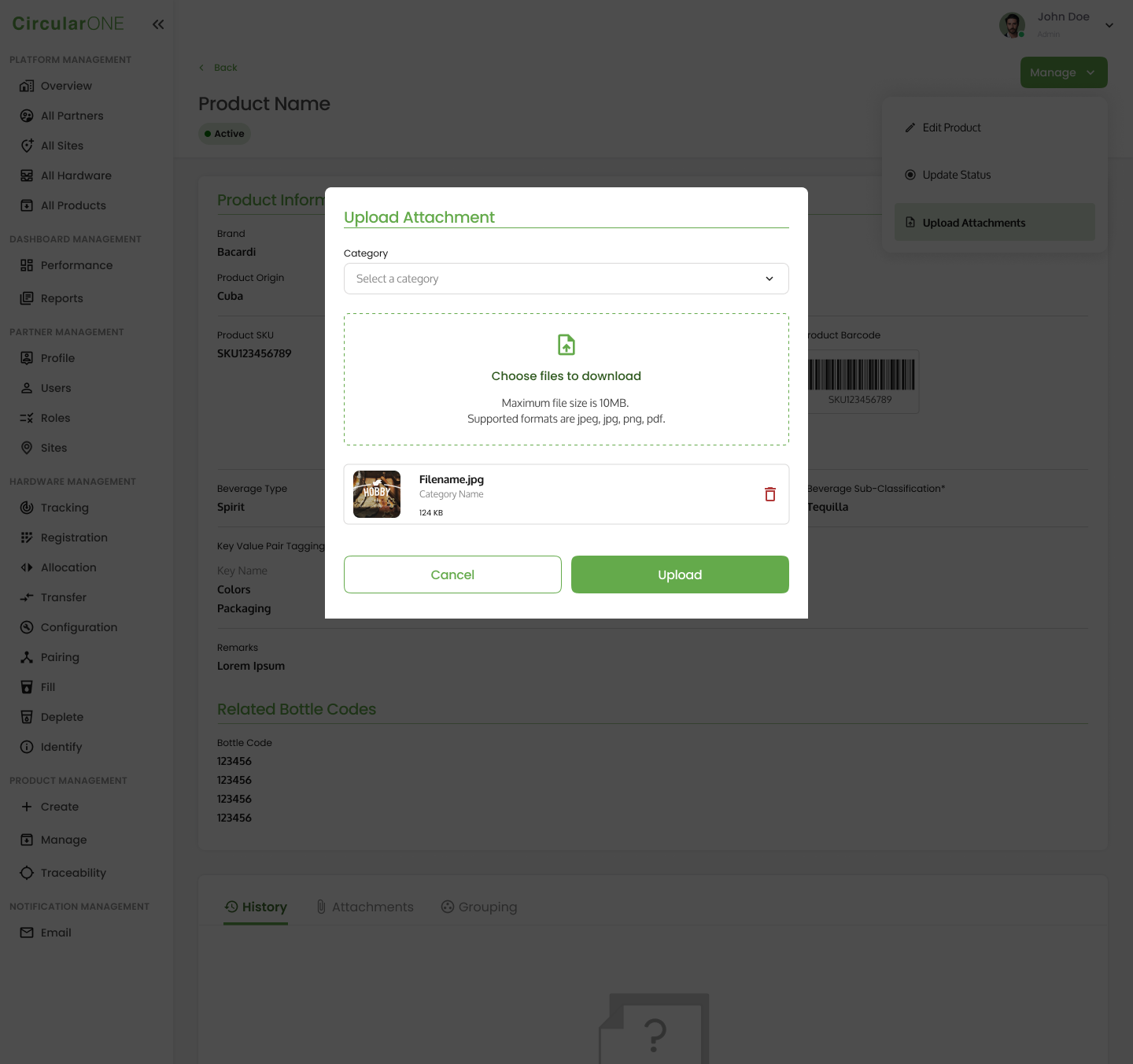
To manage product attachments for a specific product, you can:
Steps | ||
|---|---|---|
1 | View a Product Profile | |
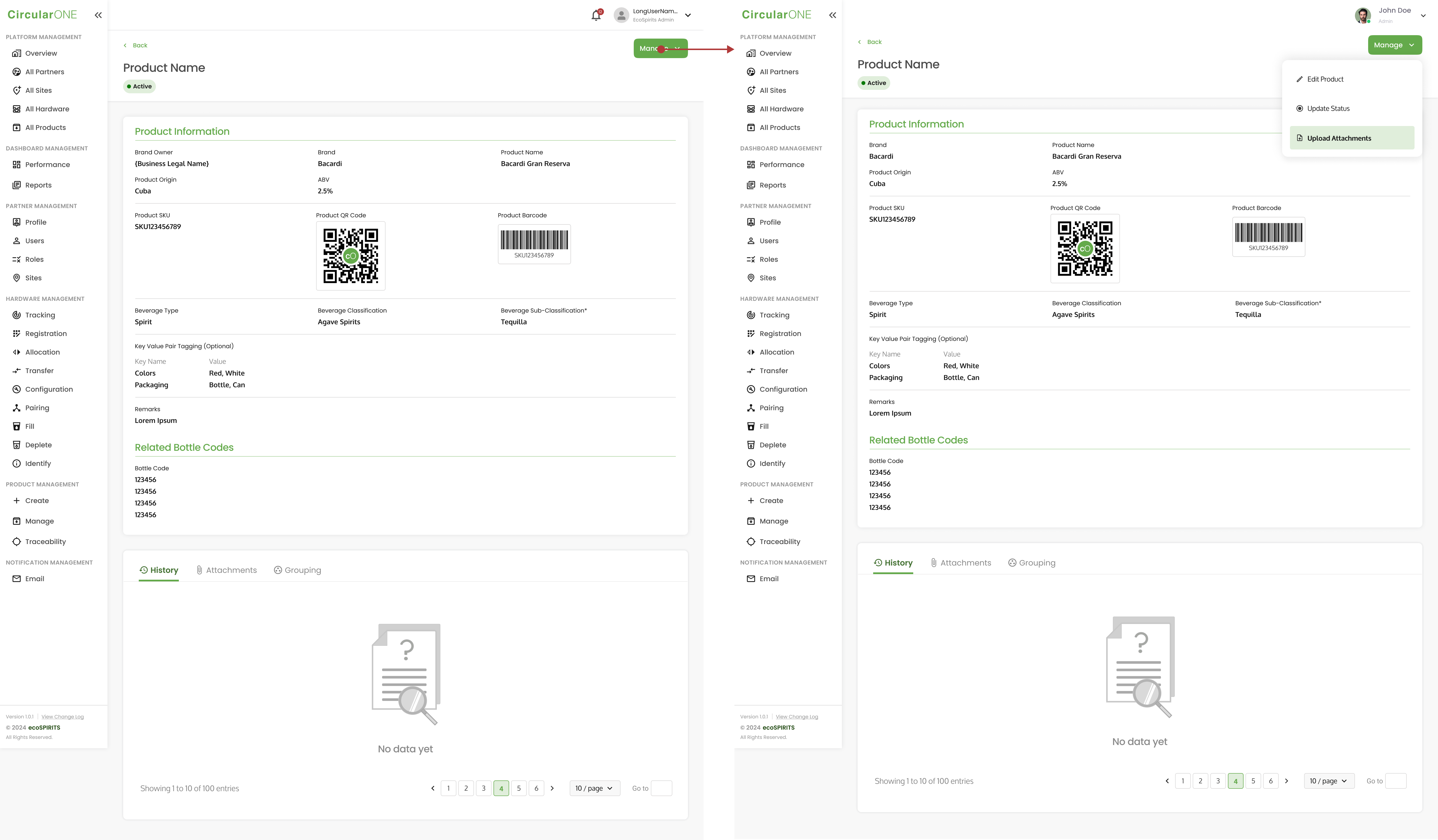
2 | Click on ‘Upload Attachments’ | |
| ||
3 | Select a category for the image that you will be uploading | |
4 | Proceed to Drop or Click to Upload an Image | |
5 | If the image upload is successful, you will be able to view the image thumbnail | |
| ||
6 | Once you have uploaded all the necessary images, select ‘Upload’ and you will be redirected back to the product profile | |
No comments to display
No comments to display