User Profile Management
Feature Availability
Available on Web/Mobile Browser only.
Introduction
If there are any changes to your user profile, you can update your details at any time to keep them current.
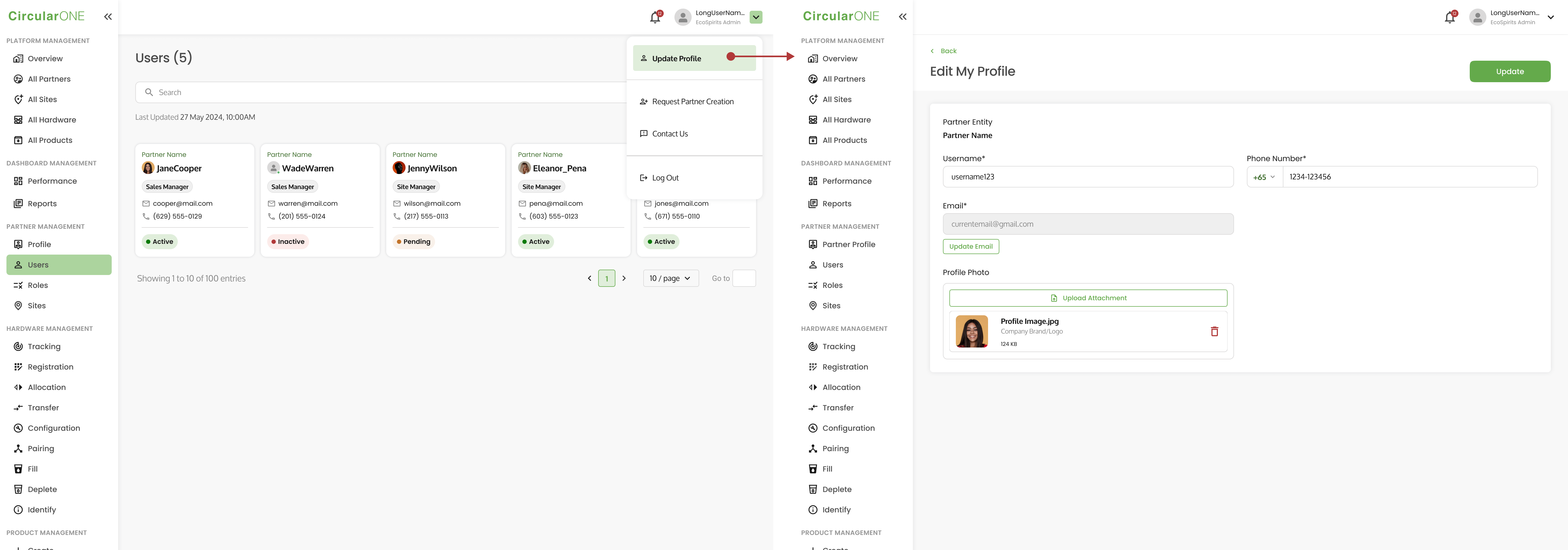
Update User Profile
To update your user profile, you can:
Steps | ||
|---|---|---|
1 | Select the dropdown of the user at the top right corner of the top navigation | |
2 | Select ‘Update Profile’ | |
| ||
3 | Edit the necessary details that need to be changed for the user profile and click ‘Update’ | |
4 | If successful, you will be redirected to where you left off | |
Update User Email
Caution!
If your user account is a Partner Administrator, changing your email will result in the change of Partner Administrator to the new email after the verification.
Ensure that the updated email has not been used previously for any existing user within CircularONE.
To update a user email, you can:
Steps | ||
|---|---|---|
1 | Select the dropdown of the user at the top right corner of the top navigation | |
2 | Select ‘Update Profile’ | |
| ||
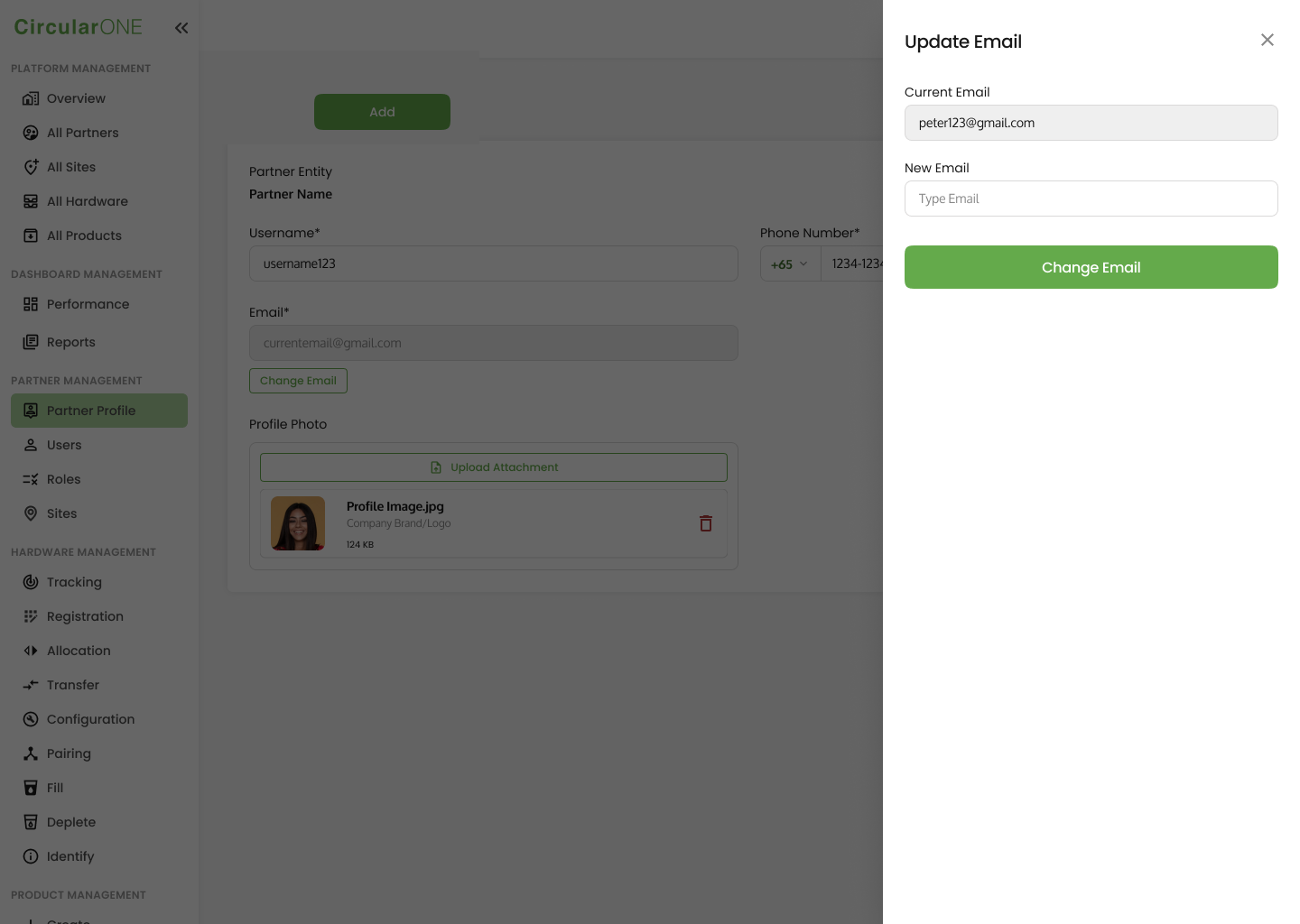
3 | Select ‘Update Email’ | |
4 | Key in the new email for your user account and click ‘Change Email;’ | |
| ||
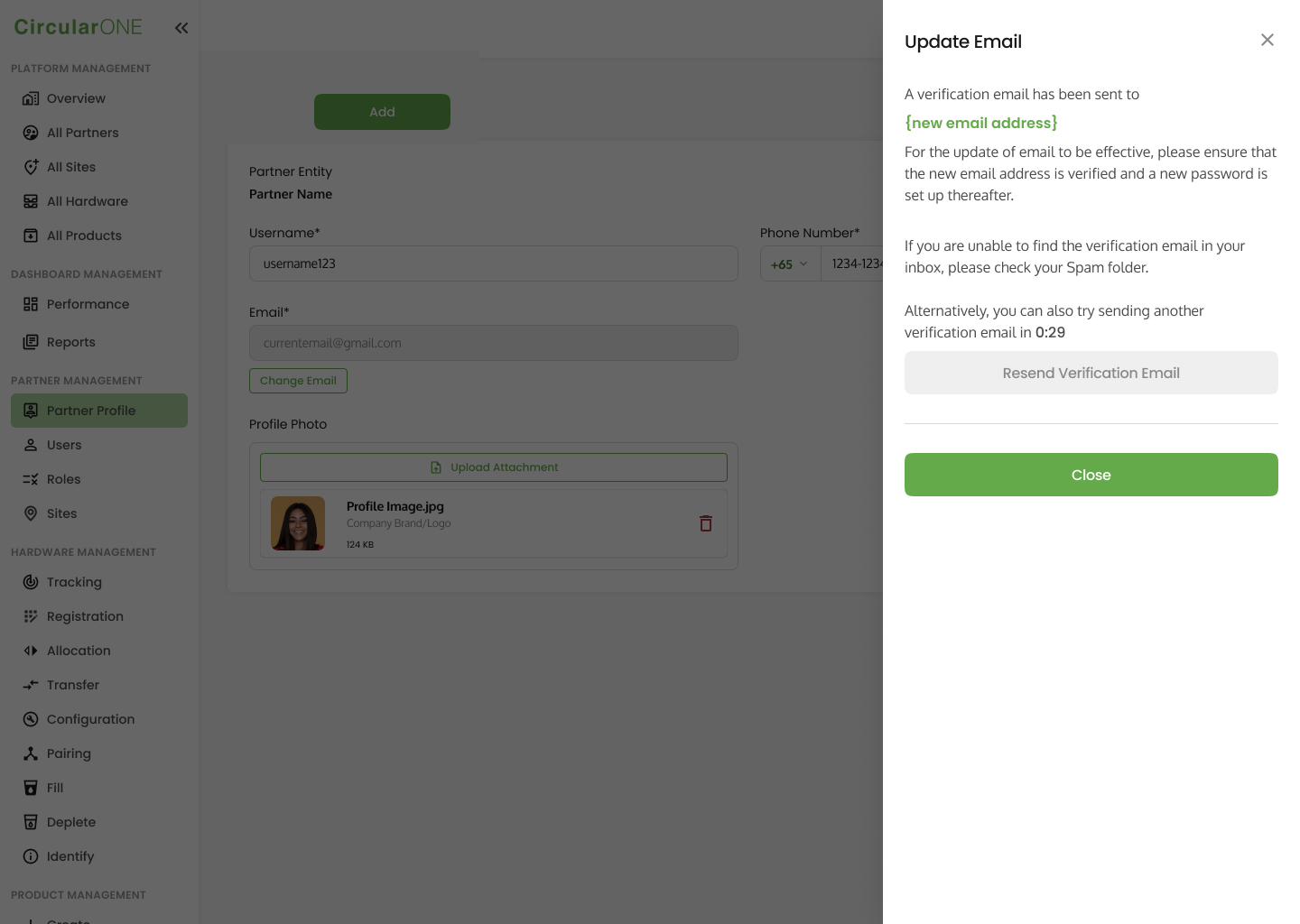
5 | Check the new email for a verification email and re-verify your new email for the change to be effective | |
| ||
No comments to display
No comments to display